
By the Softsolvix Team · Mobile App, Web & AI Development
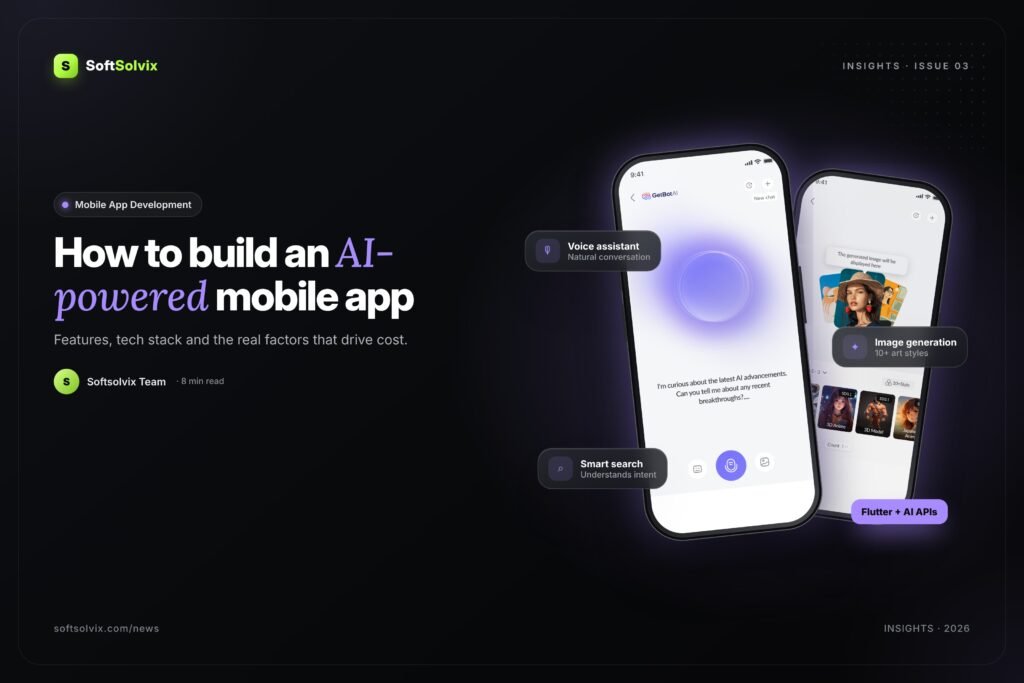
Users now expect apps to be smart. They want personalised recommendations, natural voice and chat assistants, instant search and features that save them time. Adding AI to your mobile app is no longer a luxury reserved for big tech companies. With today’s AI models and APIs, startups and small businesses can launch powerful AI-powered apps faster than ever. Here is the practical guide we share with Softsolvix clients.
Popular AI features for mobile apps
- AI chat and voice assistants that answer questions, guide users and complete tasks.
- Personalised recommendations for products, content, food or services based on behaviour.
- Image generation and recognition for creative tools, product search and document scanning (OCR).
- Smart search that understands natural language instead of exact keywords.
- Predictions and insights such as delivery times, demand forecasts or health reminders.
- Automated content like summaries, replies, translations and descriptions.
Step-by-step: building an AI app
1. Define the problem and the AI value
Start with the user problem, not the technology. Which task becomes faster, easier or more personal with AI? Clear goals keep the scope realistic.
2. Choose the right AI approach
Most apps use existing models through APIs (for example GPT, Gemini or open-source models) combined with your own data through retrieval-augmented generation (RAG). Custom model training is only needed for very specific use cases.
3. Design an intuitive experience
AI features must feel simple. Great UI/UX explains what the AI can do, shows progress, handles errors gracefully and keeps users in control. Our GetBot AI app is a good example of making advanced AI tools easy to use.
4. Pick a scalable tech stack
- Mobile: Flutter or React Native for cross-platform iOS and Android apps, or native Swift and Kotlin when needed.
- Backend: Laravel, Node.js or Python with secure APIs and a web admin dashboard.
- Cloud and data: Firebase, AWS or Google Cloud, plus a vector database for AI search.
5. Build, test and launch an MVP
Launch a focused minimum viable product, measure real usage and improve. AI features need careful testing for accuracy, speed, cost and safety.
What affects the cost of an AI app?
Every project is different, so the best way to estimate is to define your scope. The main cost factors are:
- Number and complexity of features, especially how many AI capabilities you need.
- Platforms: iOS, Android, web, and whether you need an admin dashboard.
- AI model usage: API costs grow with the number of users and requests.
- Data and integrations: payments, maps, CRMs, third-party APIs and existing systems.
- Design quality: custom UI/UX, animations and branding.
- Security and compliance for sensitive data such as health or finance.
- Ongoing support: hosting, monitoring, updates and model improvements.
A cross-platform framework like Flutter usually reduces cost and time to market because one codebase serves both iOS and Android.
Common mistakes to avoid
- Adding AI just because it is trending, without a clear user benefit.
- Ignoring AI running costs when planning pricing and growth.
- Skipping guardrails, privacy controls and human fallback.
- Launching without analytics to measure how people use AI features.
Key takeaways
- Start with a clear problem and add AI where it creates real value.
- Use proven models and APIs, connected to your own data, to move fast.
- Plan for UX, security and AI running costs from day one.
Frequently asked questions
Should I build a native or cross-platform AI app?
For most startups and business apps, a cross-platform framework such as Flutter or React Native offers the best balance of speed, cost and quality. Native development makes sense for very device-specific features.
Do I need my own AI model?
Usually not. Most successful AI apps use proven models through APIs, combined with your own data. Custom models are only needed for highly specialised tasks.
Can AI be added to my existing app?
Yes. AI features such as chat assistants, smart search and recommendations can be integrated into existing mobile apps and web dashboards through secure APIs.
Work with Softsolvix
Ready to build something smarter? Softsolvix designs and develops custom mobile apps, web platforms and AI solutions for startups and growing businesses. Book a free consultation with our team, or explore our recent projects.